

Reference

hc77u App and Mobile Browser Access

The hc77u lobby loads through your phone browser — no waiting on an app store, no extra install steps. Open the site, sign in, and the full lobby is right there.

mobile browser readyaccount access on any screenavailability varies by regioncheck site for current buildworks on Android and iOS
hc77u hc77u App and Mobile Browser Access
hc77u What the hc77u Mobile Experience Delivers

What the hc77u Mobile Experience Delivers

Open hc77u on your phone and the lobby adapts to your screen without any manual adjustment. Slots like Crash Zone and Teen Patti Flash load clean on smaller displays. Live tables — dealt in real time by Evolution studios — stream without layout breaks. The betslip stays accessible while you're browsing cricket markets or PSL fixtures, so switching between a Football TeamBet

coupon and a live roulette room takes seconds. Push notifications alert you when a market or session you follow opens. Quick deposit taps straight into your JazzCash or Easypaisa wallet flow from the same screen, and fingerprint login shortens the sign-in path on supported devices.
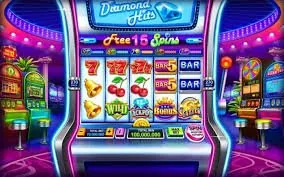
hc77u Mobile Access in 3 Steps

Mobile Access in 3 Steps

Getting the hc77u lobby running on your phone does not require an APK download or an app store listing. Browser access is the current primary path — and it takes under a minute to reach the lobby from a fresh visit. These steps cover what to check and where to start. If a native app build becomes available for your region, the

site will show the option directly on the homepage. Until then, the browser route gives you the same lobby, the same account wallet and the same payment rails.

  • Open the current site — Type hc77u into your mobile browser or tap a saved bookmark. The site detects your screen size and loads the mobile layout automatically.
  • Check browser compatibility — Chrome and Safari on current Android and iOS versions handle the full lobby without issues. If a game or table is not loading, a browser update usually resolves it.
  • Sign in securely — Enter your account credentials or use fingerprint login if your device supports it. An OTP sent to your registered number completes the verification step when required.
  • Add to home screen — Use your browser's 'Add to Home Screen' option to pin hc77u as a shortcut. It opens full-screen with one tap, close to a native app experience without any install.
WHAT SETS IT APART

Key Features of the hc77u Mobile Build

These are the specific mobile-layer features that change how you use the account day to day — faster access, cleaner navigation and controls that work with your phone rather than against it.

Fingerprint Login On supported Android and iOS devices, biometric login replaces the password entry. Your session opens in one tap once your account is already verified.
Push Notifications Opt in to receive alerts when a live table room opens, a crash game round starts, or a cricket market you follow goes live on the sportsbook.
Dark Mode Display The interface switches to a dark layout automatically in low-light conditions, cutting screen glare during evening sessions without affecting game rendering.
Lobby Preview Offline A cached lobby preview lets you browse available game categories and check the Crash Zone or Gates of Olympus listings before your full connection loads.
DEVICE CHECK LIST

Compatibility and Account Requirements

Before your first mobile session, run through this checklist to avoid access issues. Most modern phones handle the lobby without any configuration changes, but a few account and browser conditions still matter.

hc77u Browser Access

Browser Access

Chrome 110 or later and Safari on iOS 15 or later are the browsers we see fewest issues with. Older versions may miss live-stream frames or layout elements.

hc77u Screen Layout

Screen Layout

The lobby is optimised for portrait and landscape. Live tables from Evolution render in landscape; slots like Roulette Nightfire and Sweet Bonanza run cleanly in portrait.

hc77u Account Requirements

Account Requirements

You need a verified hc77u account to access real-money rooms. Verification covers your registered mobile number and wallet — JazzCash, Easypaisa or Raast — linked at registration.

hc77u App — Frequently Asked Questions

If something about mobile access, account setup or device behaviour is still unclear, these are the questions we hear most often from Pakistan users.

Whether a dedicated app build is currently available depends on your region and device. Check hc77u directly — if an app is offered, the download option appears on the homepage.

Yes. The mobile browser route gives you full lobby access — slots, live tables and the sportsbook — without any download. Add the site to your home screen for quick one-tap access.

Biometric login is supported on devices where the browser allows it. Once your account is verified, the fingerprint option appears at the sign-in screen on compatible Android and iOS devices.

Chrome on Android and Safari on iOS are the most reliable choices. Keep your browser updated to the latest version so live-stream tables and crash games like Crash Zone load without issues.

Yes — the deposit flow in the mobile browser connects directly to JazzCash, Easypaisa and Raast. Open the cashier section, select your wallet, and follow the on-screen steps to confirm with your PIN.

Clear your browser cache, check your internet connection and confirm you are on the correct domain. If the issue continues, reach out to account support through the help section inside your account.
Reference

hc77u App

Service availability depends on eligible regions and local law. Users should check local rules before opening an account.

Access may be available only where local law permits.